Can Suprmind Export to PDF and DOCX?
Yes. Suprmind is designed to turn AI-generated work into deliverables you can share, including files for common document workflows. Its master document generator brings content together into a polished document, with export options that include PDF, DOCX, and Markdown (MD). That means you can move from exploring an idea with AI to circulating a review-ready file without treating a chat transcript as the final product.

That distinction matters. Asking an AI assistant a question and getting a useful answer is one task; producing a structured brief, proposal, analysis, or decision record is another. Suprmind’s document workflow is built around the second task: consolidate the work, apply a template, and export it in a format that fits your audience.
Below, we explain what PDF export and DOCX export are for, how the master document generator fits into Suprmind’s broader workspace, and how its approach compares with tools such as Aymo AI and ChatGPT.
What can you export from Suprmind?
Suprmind’s master document generator is the starting point for creating an exportable deliverable. Rather than copying individual AI responses into a separate editor, you can assemble material into a coherent document, organize it with a template, and then export it in a format suited to the next step in your workflow.
Format Best suited for Typical next step PDF Sharing a consistent, presentation-ready version Send for review, circulate to stakeholders, or archive DOCX Further editing in a word processor Revise language, add organizational details, or collaborate Markdown (MD) Portable, text-first content Move into a compatible writing, documentation, or publishing workflowThe formats serve different needs. PDF export is useful when recipients should see a stable version of the document. DOCX export is useful when someone still needs to edit the content, apply final formatting, or incorporate it into a larger report. Markdown offers a lightweight option for teams that work in text-based tools.
PDF export: when a stable version is useful
PDF is often the right choice when the immediate goal is to review decision validation engine or distribute a document, not continue drafting it. A proposal, research summary, decision memo, or client-facing brief may need to look consistent when opened by different people. PDF export gives you a convenient way to share a finished or near-finished version while reducing the chance that recipients will accidentally change the source content.
That does not mean a PDF should be treated as the only copy of important work. If the document will undergo another round of substantive editing, keep an editable version too. In practice, teams often use both: export DOCX for continued editing, then export PDF when the content is ready to circulate.
Common uses for PDF export
- Sharing a decision memo with leaders who need to review a fixed version.
- Sending a proposal or project brief to an external stakeholder.
- Keeping a record of what was reviewed or approved at a particular point in time.
- Distributing an AI-assisted analysis without asking every recipient to work in the same editing environment.
As with any generated document, it is sensible to review the file before sharing it. Check the title, headings, tables, links, names, and any sensitive information. A clean export makes distribution easier, but it does not replace human review.
DOCX export: when the document is still in progress
DOCX export is valuable when the output needs to fit into an existing writing and approval process. A project lead might use a generated strategy outline as a first draft, then refine it with colleagues. A consultant might need to adapt an analysis to a client’s house style. An operations team might want to add internal context, owners, and dates before the document becomes official.
In those situations, a copy-and-paste workflow can introduce friction. It can take time to reassemble sections, restore headings, and keep the final document organized. A DOCX export gives you an editable starting point that can be refined in a word processor. The important phrase is “starting point”: AI-generated content should still be checked for accuracy, completeness, tone, and fit for purpose.
Common uses for DOCX export
- Continuing edits with teammates who prefer a word-processing workflow.
- Adding company-specific language, branding, or approval details.
- Turning a working analysis into a formal report or client deliverable.
- Making final editorial changes before creating a PDF for distribution.
The master document generator: from AI output to a usable deliverable
The master document generator is more than an export button. Its role is to help transform working material into a single, structured document. In a multi-model workflow, you may ask different models to investigate a question, compare options, identify risks, or challenge an assumption. Those interactions can be useful, but a collection of separate answers is not automatically a useful report.
A master document provides a place to consolidate the work. Templates can help give that work a recognizable shape, such as a brief, evaluation, or decision-oriented document. Structure makes the content easier to scan and review: readers can find the conclusion, supporting rationale, disagreements, and next steps without digging through a long sequence of chat messages.
This is particularly useful for teams that need outputs to travel beyond the person who prompted the AI. A document gives reviewers something they can annotate, discuss, revise, and store alongside other project materials. PDF, DOCX, and MD exports make it easier to route that document into different downstream workflows.
Multi-model AI workspace versus orchestration platform
When comparing AI products, it helps to separate a multi-model workspace from an orchestration platform. A multi-model workspace helps people work with multiple AI models in one environment. It can make it easier to compare responses, explore alternatives, and bring useful material together. An orchestration platform, by contrast, typically emphasizes automated sequences of tasks, integrations, or processes that run across tools or systems.
These categories can overlap, but they are not interchangeable. A team that wants to reason through a question with multiple models and produce a reviewed document may value a multi-model workspace. A team that needs a repeatable, automated process connecting several business systems may be evaluating a different set of capabilities.
Suprmind’s emphasis is on the workspace and the reasoning-to-deliverable path: use AI models to explore a question, examine competing perspectives, validate a decision, and create an exportable document. When assessing any product, including Suprmind or Aymo AI, check the workflow you actually need rather than assuming every AI tool is an orchestration platform or a document generator.
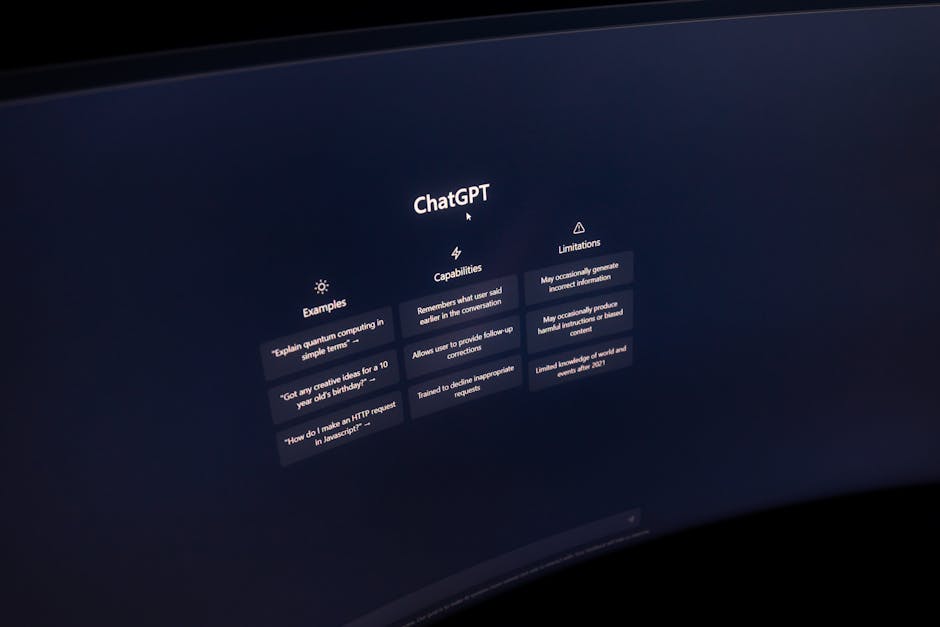
ChatGPT is widely used as a conversational AI assistant and can help users draft and revise content. But the broader question for a team is not only whether an AI can write a paragraph. It is whether the product supports the team’s full process for comparing outputs, testing assumptions, recording a conclusion, and delivering the result in a useful format.
Structured disagreement: Debate and Red Team
More AI responses do not automatically AI workspace for security teams mean better decisions. If several models give similar answers, the team may simply receive the same blind spot in different wording. Suprmind’s Debate and Red Team capabilities are intended to make disagreement a deliberate part of the workflow.
Debate can help surface competing positions on a question. One perspective may favor a proposed approach, while another challenges its assumptions or argues for an alternative. Red Team work focuses attention on weaknesses: what could fail, what evidence is missing, and what an opposing reviewer might question.
This kind of structured disagreement is useful when the cost of a weak assumption is high. For example, a product team evaluating a launch plan could ask for arguments in favor of the plan, then ask a Red Team to probe its risks. A consulting team could compare recommendations before putting one into a client-facing brief. The goal is not to make every question adversarial. It is to avoid mistaking a confident first answer for a complete analysis.
Once the team has examined those perspectives, the master document generator can help bring the relevant findings into a deliverable. That makes the eventual PDF export or DOCX export more than a polished version of one model’s response: it can reflect a process that included challenge and review.
Decision Validation Engine and verdicts
Suprmind’s Decision Validation Engine adds another layer to this decision workflow. Rather than stopping at a set of generated opinions, the engine is intended to help assess a proposed decision and present a verdict. A verdict gives the team a concise way to understand the outcome of validation, while the underlying reasoning remains important for interpretation.
Think of a verdict as decision support, not an automatic substitute for judgment. Teams should look at the rationale, evidence, assumptions, and unresolved questions behind any conclusion. A useful validation process can help clarify whether a decision is well supported, needs more information, or deserves another round of challenge. It cannot guarantee that every input is correct or that future conditions will match the assumptions used.
For a document workflow, this distinction matters. A decision brief should make it clear what was proposed, what was challenged, what the validation process found, and what people decided to do. The verdict can help orient readers, while the supporting context helps them assess the conclusion for themselves.
Templates, BYOK, and mobile access
Templates can reduce the effort required to turn analysis into a repeatable deliverable. Instead of inventing a structure each time, teams can start from a familiar format and adapt it to the task. That is useful for consistent briefs, reviews, and internal decision documents, especially when several people contribute to the same kind of work.
For teams that want to use their own model credentials, Suprmind references BYOK (bring your own key). BYOK can be relevant when an organization wants to connect its own provider credentials, subject to the product’s supported integrations and the organization’s security policies. Before adopting any BYOK workflow, check how credentials are handled, which models are supported, and whether the setup fits your governance requirements.
Suprmind also supports PWA install on iOS and Android. A progressive web app can make a web-based workspace easier to access from a mobile device. That may be helpful for reviewing material or capturing work while away from a desktop, though teams should confirm that the specific features they need—especially document review and export—work as expected on their device.
How to choose the right export workflow
The best format depends on who will use the document next. If a reviewer needs to edit the content, start with DOCX. If the document is ready to share as a stable version, use PDF. If the destination is a text-oriented workflow, MD may be the better fit. Many teams will use more than one format at different stages.
- Explore the question. Use the AI workspace to gather perspectives and develop the material.
- Challenge the reasoning. Use Debate or Red Team approaches to examine alternatives, risks, and assumptions.
- Validate the decision. Review the Decision Validation Engine’s verdict alongside its supporting rationale and any remaining uncertainties.
- Build the document. Use the master document generator and an appropriate template to organize the findings.
- Review and export. Choose DOCX for continued editing, PDF for sharing a stable version, or MD for a text-first destination.
Bottom line: Can Suprmind export to PDF and DOCX?
Yes. Suprmind supports PDF export and DOCX export through a workflow centered on its master document generator, with templates and Markdown (MD) as another export option. Its broader value proposition is not simply producing downloadable files; it is helping teams move from multi-model exploration and structured disagreement to a decision-oriented, shareable deliverable.
If your goal is only to generate a quick answer, a conversational assistant such as ChatGPT may be enough. If you need a workspace for comparing model perspectives, challenging assumptions, validating a decision, and packaging the result for other people, Suprmind’s document workflow may be more relevant. As with any AI product, verify the current export options, supported models, and governance details against your team’s requirements before adopting it.